
Typecasting
Adventures with the Inkhaven typewriter

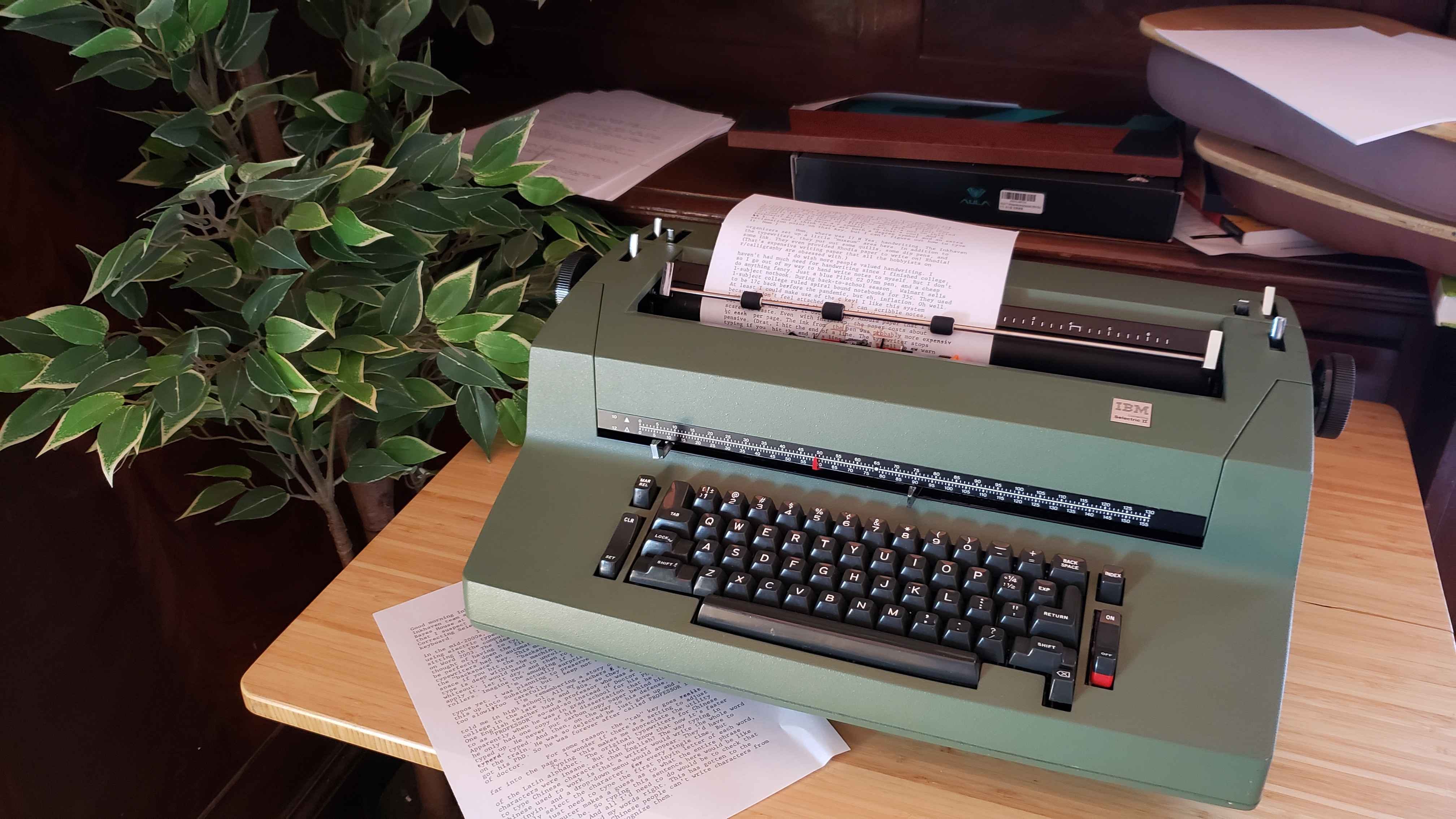
Good morning Inkhaven! I’m typing this on a typewriter.1 The Inkhaven team set up two typewriters in the ground floor of Bayes House at Lighthaven for us. One is a mechanical typewriter that I suspect is out of tape. The other is an electric “IBM Correcting Selectric II” which plugs in and has a smoother keyboard.
I’ve never used a typewriter before. I grew up in the mid-2000s, and all I had were my parents’ stories of using electric typewriters in college in the 80s. I remember sitting in the computer lab in elementary school and typing on Word 2003. The idea of the “backspace” fascinated me. The thought of having to type everything, perfectly, and have it be perfectly doen the first time sounded terrifying. The nicest typewriters had an automatic whiteout dispenser attached to the “backspace” key. This machine just lets you go back one space if you hit the “backspace” key. And the current line of type is deep within the machine, so if I wanted to apply some whiteout, I would need to unroll the paper to make it accessible, apply it, let it dry, and then roll the paper back under the rollers. Imagine the smudging if I were impatient!
I’m actually surprised that I haven’t made any typos yet. I was planning to preserve any typos when I type this up into Substack, but I keep not making any.2 I’m typing too slowlyToo carefully.3
I’m remembering a story one of my English teachers told me in high school. All my teachers f growing up went to college in the late ‘70s and ‘80s, so they used typewriters. One English teacher had a professor who was always referred to as “PROFESSOR” so-and-so instead of Doctor So-and-so. Apparently when he was in grad school for his PhD in English, he only had one copy of his dissertation that he’d painstakingly typed up. He never put carbon copy paper behind his work as he typerd typed. And then, on the way to his defense, he left it on the train. He was so dejected he just gave up and never got his PhD. So he was forever after called PROFESSOR instead of doctor.
For some reason, the “tab” key goes reallt really far into the page. I wonder if there’s a setting to adjust this.
Typing this makes me appreciate the utility of the Latin alphabet. The original typewriters for Chinese characters were insane. But did you know that now it’s faster to type Chinese characters than English? The way typing in Chinese used to work is that a writer would write the whole word in pinyin, and a drop-down menu would appear. They’d have to manually select the character, for every single time. But now they just need to type the first pinyin letter of each word, and the computer makes a guess as to what the entire phrase is supposed to be. So typing this sentence here would be like this: sttshwblt. And all I’d need to do would be to check that the computer guessed my words right. This has gotten to the point where a lot of Chinese people can’t write characters from memory anymore; only recognize them.
The thought makes me sad. I love handwriting. I love spelling. I’m glad I learned to type in the days before autocorrect. Back when I was expected to hand write most of my assignments in elementary school. I wasn’t expected to actually type up assignments on the computer and print them out until I was in the fifth grade or so. (Ack, I just tried to type a tilde in front of “fifth”, but it’s not on this keyboard! But I do have a ¢ symbol, so that’s cool. And a ½½ ½, ¼, and I think there are both a degree symbol and an extra exclamation point on that key, but I can’t figure out how to type it. Hmm.)
Hmm, where was I? H Yes, handwriting. The Inkhaven organizers set up a little “museum” area here. In addition to the typewriters, they put out some quills, some dip pens, and some ink. They even provided Rhodia paper to write on! Rhodia! (That’s expensive writing paper that all the hobbyists on r/calligraphy are obsessed with.)
I do wish more people valued handwriting. I haven’t had much need for handwriting since I finished college, so I go out of my way to hand write notes to myself. But I don’t do anything fancy. Just a blue Pilot G2 07mm pen, and a cheap 1-subject notebook. During back-to-school season, Walmart sells 1-subject college ruled spiral bound notebooks for 35¢. They used to be 17¢ back berfore the pandemic, but eh, inflation. Oh well. At least I could make use of the ¢ key! I like this system because I don’t feel attached to it. I can scribble notes, I can write whatever, and then if I don’t like it I can tear out the page and throw it out. No fancy Rhodia paper that I’m scared to waste. Even with inflation, the paper costs ½¢ each per page. The ink from the pen was probably more expensiv-pensive. (Drat. I hit the end of a line. The typewriter stops typing if you hit the end of a line. There’s a bell to aw warn you when you have 4 or 5 characters left to spare.
Anyway, that’s enough for now.4 I have some longer posts in the pipeline coming soon!
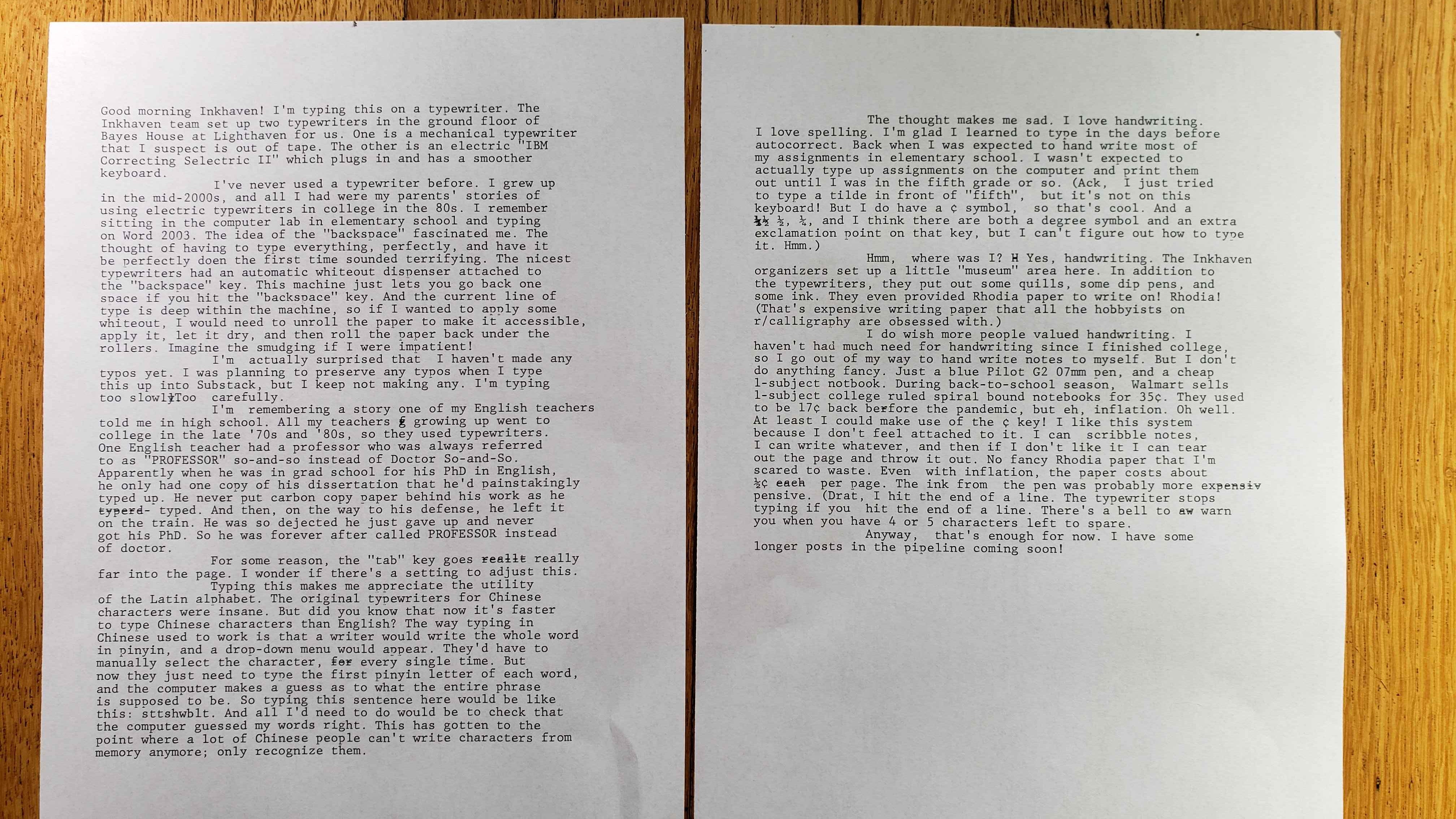
All typos will be preserved in this transcription.
I did not notice the “doen” in the previous paragraph until I started transcribing this on the computer. I considered re-typing the entire page, but it was too funny to try and hide.
Dangit.
I think I made more mistakes while transcribing this on my laptop than I did while initially typing it on the typewriter.
I love the Selectric. Did you know that actually you can erase text on it? The correction key is a different one than the backspace, on the bottom of the keyboard.